AI Model Generator
AI Model Generator
Create realistic AI-generated human models instantly. Save money by eliminating expensive model hiring costs.
Generate Your AI Model
Describe the type of model you want, then generate professional model photos instantly
AI Model Examples
See how our AI can create professional model photos. Click on any example to use it as a template.
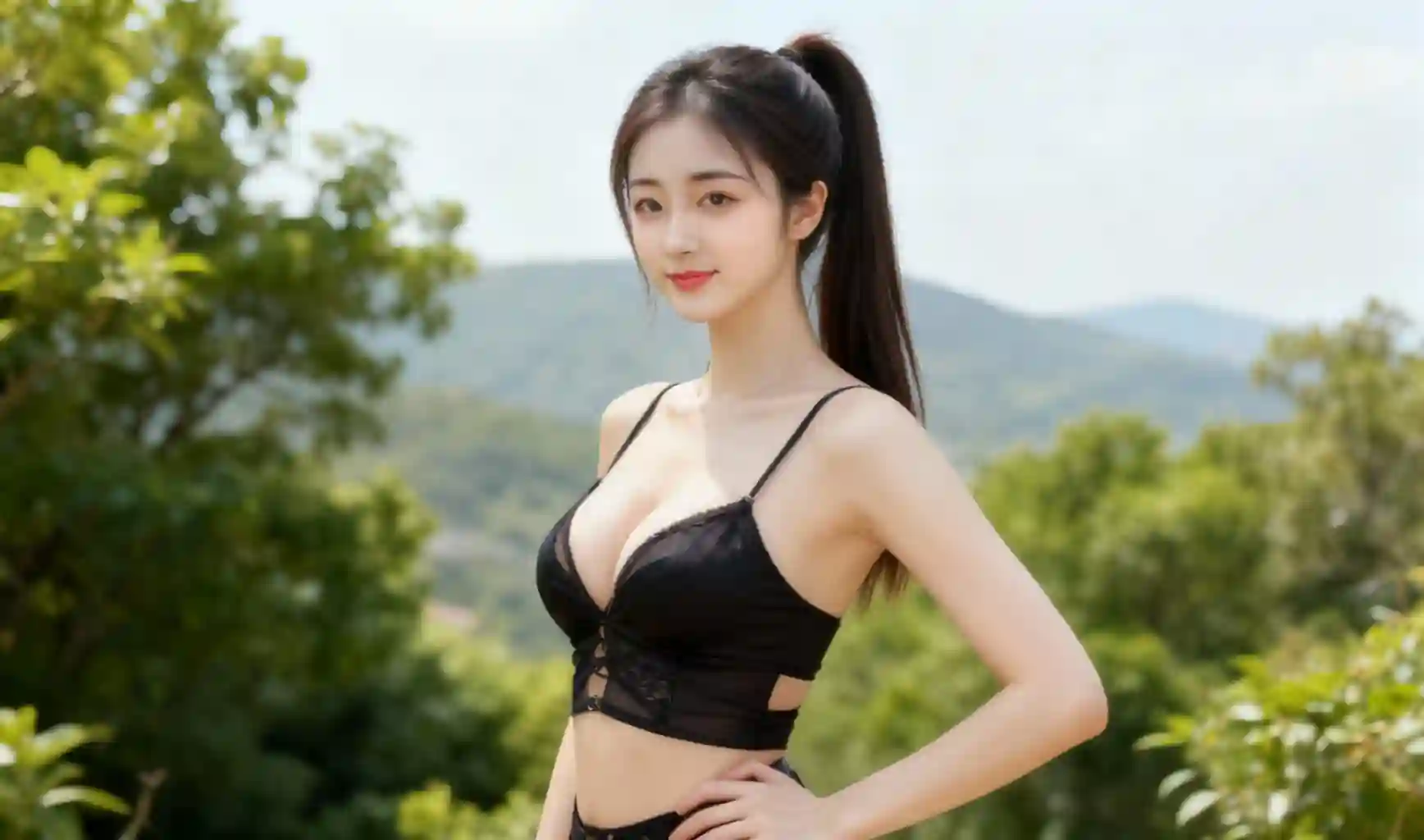
Asian Female Model
Fashion model, Chinese, beautiful, female, white background, bright
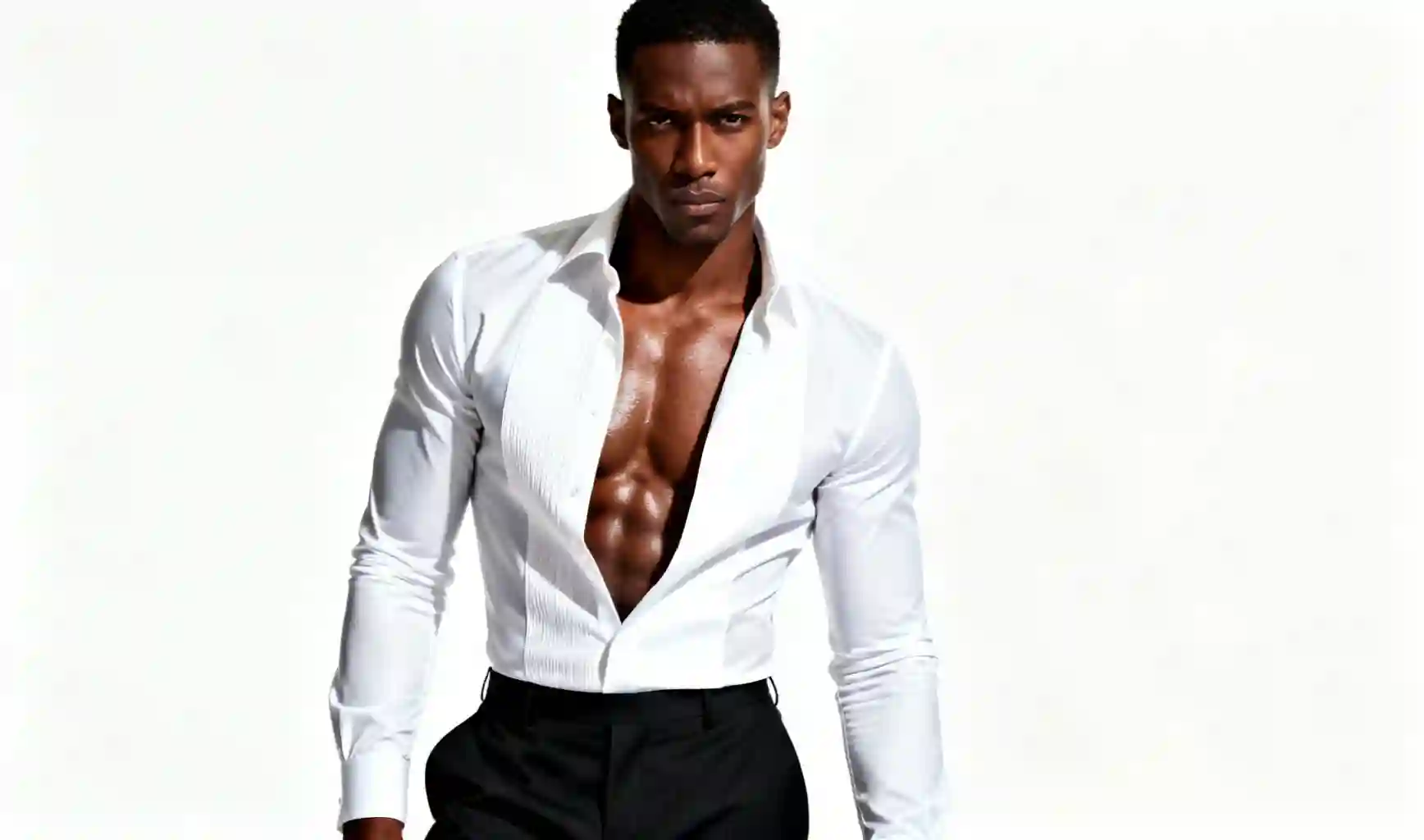
African Male Model
Fashion model, African, handsome, male, white background, bright
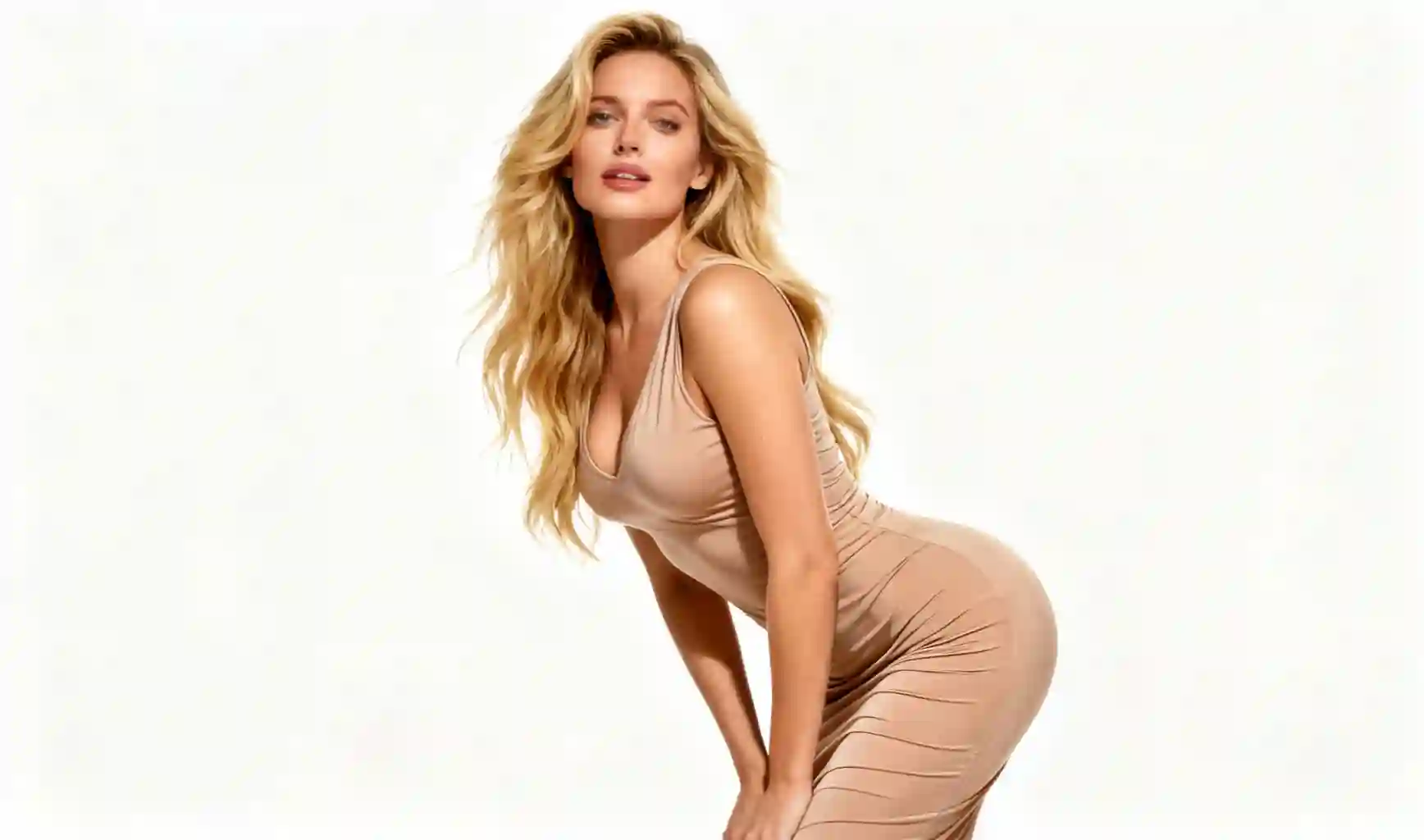
European Female Model
Fashion model, European, beautiful, female, white background, bright
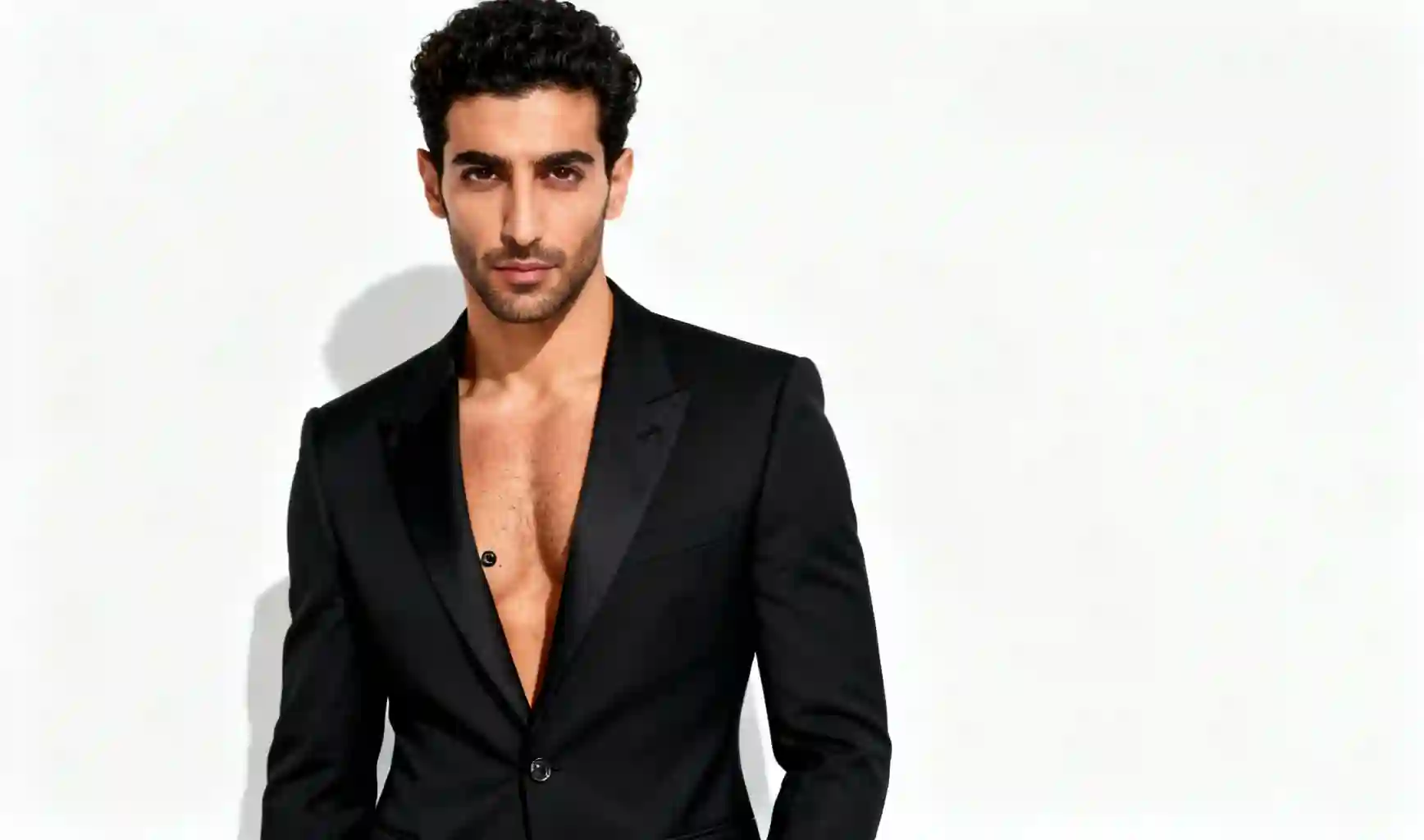
Middle Eastern Male Model
Fashion model, Middle Eastern, handsome, male, white background, bright
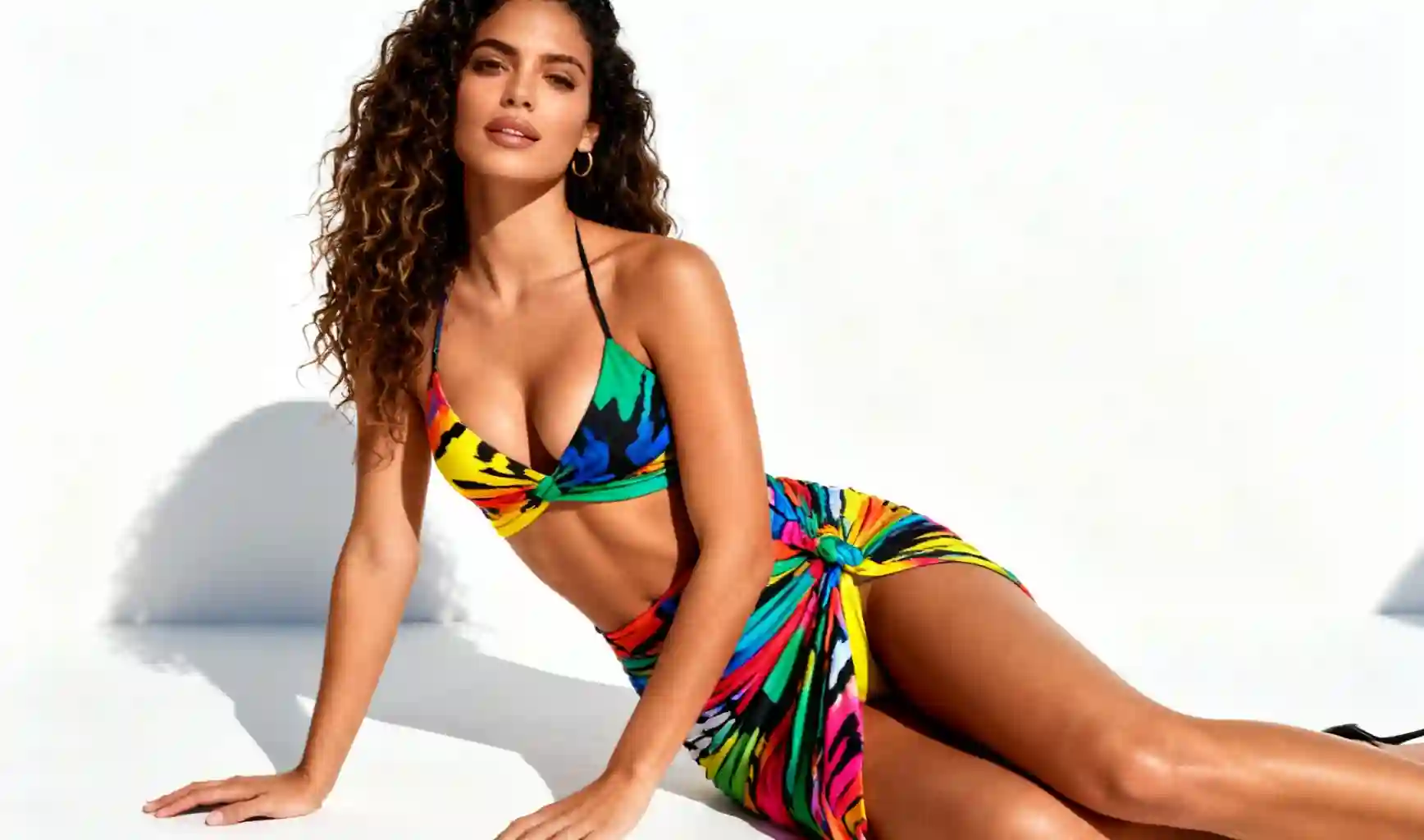
Hispanic Female Model
Fashion model, South American, beautiful, female, white background, bright
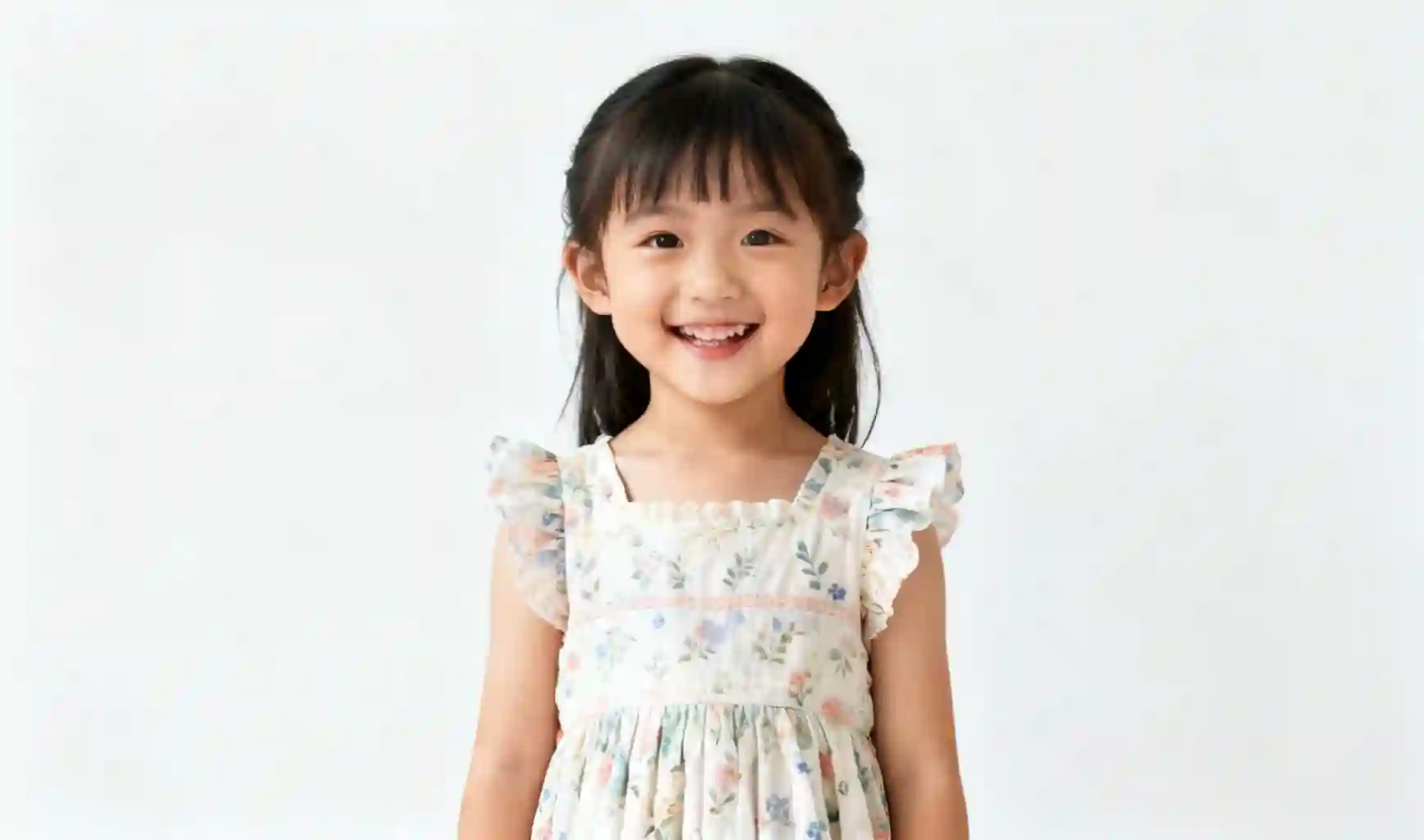
Child Model
Child model, Chinese, cute, female, white background, bright
Why choose our AI Model Generator?
Create realistic AI-generated human models instantly without the cost of hiring real models. Perfect for any project requiring human subjects.
Cost Effective
Eliminate expensive model hiring costs completely. Generate unlimited human models at a fraction of the traditional cost.
Time Saving
Get professional-quality human models in minutes instead of waiting to schedule, coordinate, and conduct traditional photoshoots.
Diverse Models
Create photos with a variety of AI-generated human models representing different demographics and styles.
Studio Quality
Generate professional-looking model photos with proper lighting, composition, and background options.
Fully Customizable
Control every aspect of your AI models - appearance, poses, expressions, backgrounds, and lighting conditions.
Versatile Applications
Perfect for e-commerce, advertising, content creation, prototyping, and any project requiring human subjects.
Quick Iterations
Easily generate multiple variations to find the perfect human models for your specific needs.
Generate AI Models in 4 Simple Steps
Create realistic AI-generated human models instantly without hiring real models
Describe Your Ideal Model
Tell our AI about the type of model you want, including appearance, pose, expression, and setting details.
Customize Settings
Choose the image size, style, and other preferences to get the perfect AI-generated human model.
Generate AI Models
Our AI will create realistic human models based on your specifications in just seconds.
Download & Use
Download your high-quality AI-generated model images and use them for any project or application.
Frequently Asked Questions
Everything you need to know about our AI Model Generator
What is AI Model Generator?
+AI Model Generator is an innovative solution that uses artificial intelligence to create realistic human models instantly. It eliminates the need for costly photoshoots and professional models, allowing users to generate high-quality human model imagery at a fraction of the cost.
How does AI Model Generator help reduce costs?
+Our platform dramatically reduces photography costs by eliminating expenses for:
- Hiring professional models (typically $200-$1500 per hour)
- Renting studio space and equipment
- Photography and editing services
- Coordination and scheduling of photo sessions
With AI Model Generator, you can generate hundreds of model images for the price of a single traditional photoshoot.
What applications is AI Model Generator suitable for?
+Our platform is ideal for various applications including:
- E-commerce product presentation
- Advertising and marketing campaigns
- Content creation for websites and social media
- Prototyping and concept visualization
- Any project requiring human subjects without hiring models
The possibilities are endless for creative professionals and businesses.
Can I customize the model's appearance, poses, and settings?
+Yes! Our platform offers extensive customization options:
- Model appearance (different ages, ethnicities, body types)
- Pose selection (various positions, expressions, actions)
- Background settings (studio, outdoor, urban, etc.)
- Lighting conditions and atmospheric effects
- Style and aesthetic preferences
This allows you to create AI-generated models that perfectly match your project requirements.
What is the quality of the generated model images?
+Our AI Model Generator produces high-resolution, professional-quality images suitable for websites, marketing materials, social media, and advertising. The generated models feature realistic appearances, proper lighting, and detailed features that rival traditional photography.
All images are generated in high resolution (minimum 1080p) with options for higher resolutions for print materials.
How long does it take to generate AI models?
+Model generation typically takes only 10-30 seconds per image. Unlike traditional photoshoots that require days of planning, execution, and post-processing, our platform delivers professional results almost instantly, allowing you to quickly create the human subjects you need.
What file formats are available for download?
+We support multiple file formats optimized for different needs:
- JPG: Best for general website and social media use
- PNG: Ideal when transparent backgrounds are needed
- WebP: For optimized website loading times
- High-resolution TIFF: For print marketing materials
All files are available in multiple dimensions to suit your specific requirements.
Can I use these AI-generated model images for commercial purposes?
+Yes! All images generated through our platform come with full commercial usage rights. You can use them freely for websites, marketing materials, advertising campaigns, and other commercial applications without any additional licensing fees or attribution requirements.
Are there any ethical considerations when using AI-generated models?
+We are committed to ethical AI practices. Our virtual models are completely AI-generated and not based on real individuals, ensuring no privacy concerns or model consent issues. Additionally, we promote diversity and inclusivity by offering a wide range of model types to represent different demographics.
How do I create the best prompts for generating accurate AI models?
+For optimal results, include these details in your prompts:
- Desired model characteristics (age, ethnicity, build, etc.)
- Pose and expression details
- Setting and environment description
- Lighting preferences
- Overall style and mood
Our platform also offers guided prompt templates to help you create effective descriptions without needing expertise in prompt engineering.
How many variations can I generate?
+You can generate as many variations as needed. This allows you to test different models, poses, and settings to determine which works best for your specific project. Having multiple options helps you find the perfect AI-generated models for your needs.
Can I create models in specific scenarios or environments?
+Yes! Our AI Model Generator can place models in various environments, from simple studio settings to complex outdoor or indoor scenes. You can specify the background, lighting, and atmospheric conditions to create the perfect context for your AI-generated models.
Can I integrate AI Model Generator with other tools?
+Yes! We offer an API that allows for seamless integration with your existing workflows and tools. This enables you to incorporate AI-generated models directly into your content creation pipeline, applications, or websites.
What are the pricing plans available?
+We offer flexible pricing plans to accommodate individuals and businesses of all sizes:
- Starter: For individuals and small projects
- Professional: For growing businesses and regular use
- Enterprise: Custom solutions for large organizations with extensive needs
All plans include commercial usage rights, with varying levels of image generation limits and premium features.
Do I need any technical skills to use AI Model Generator?
+No technical skills required! Our platform is designed to be user-friendly and intuitive. With simple text prompts and guided options, anyone can create professional AI-generated models without prior experience in photography, design, or AI technology.
How does AI Model Generator compare to hiring real models?
+Compared to hiring real models, AI Model Generator offers significant advantages:
- Cost: Up to 90% savings on product photography expenses
- Time: Generate photos in seconds vs. days for traditional shoots
- Flexibility: Unlimited model options and variations without scheduling constraints
- Scalability: Easily generate hundreds of product photos for your entire catalog
- Consistency: Maintain brand consistency across all product imagery
What if I'm not satisfied with the generated images?
+Our platform allows you to generate multiple variations of each image until you find the perfect representation. If you're still not satisfied, we offer a satisfaction guarantee with our paid plans. Our support team is also available to help you refine your prompts and achieve better results.
How often is the AI model updated with new features?
+We continuously improve our AI technology based on user feedback and technological advancements. Major updates are released quarterly, with smaller improvements and bug fixes deployed regularly. Our roadmap includes expanding model diversity, enhancing customization options, and improving image quality and realism for AI-generated models.
Can I use reference images for AI model generation?
+Yes! You can upload reference images to help the AI better understand the specific model features you want to create. This is particularly helpful for achieving desired poses, lighting effects, or specific facial characteristics that may be difficult to describe accurately with text alone.
Is my data kept secure?
+Absolutely. We take data security seriously and implement industry-standard security measures to protect your information. All data is encrypted both in transit and at rest, and we never share your generated images with third parties without your explicit consent.
How can businesses reduce costs by using AI model generation?
+Businesses can significantly reduce costs by using AI model generation instead of hiring real models for photoshoots. This eliminates expenses related to model fees, photography sessions, studio rentals, and post-processing. Our AI solution allows you to quickly generate professional-quality model images at a fraction of traditional costs.
Can I generate models with specific ethnicities and features?
+Yes! Our AI model generator is designed to create diverse models with a wide range of ethnicities, facial features, body types, and other characteristics. Simply specify the desired attributes in your prompt, and the AI will generate models that match your requirements.
How do I ensure consistent model appearance across multiple generations?
+To maintain consistent model appearance, use detailed and specific descriptions in your prompts, including facial features, hair style/color, eye color, and other distinguishing characteristics. Our system is designed to produce consistent results when provided with precise prompts.
What types of poses can the AI generate?
+Our AI can generate models in a wide variety of poses, from simple standing positions to more dynamic and complex stances. You can specify the exact pose you want in your prompt, including angles, body positioning, and gestures. For best results, be as specific as possible with your pose descriptions.
Can I generate models with specific hairstyles and accessories?
+Yes, you can specify detailed hairstyles, hair colors, and accessories in your prompts. Our AI allows you to request anything from specific cuts and lengths to colors, highlights, and styling. You can also include accessories like hats, glasses, jewelry, scarves, and other items to complement your model's appearance for your specific product needs.
Can I generate models with specific facial expressions and emotions?
+Absolutely! You can specify a wide range of facial expressions and emotions for your AI-generated models. Whether you need a friendly smile, serious look, playful expression, or any other emotion that matches your brand's message, simply include these details in your prompt for accurate results.
How long does it take to generate a model image?
+Generation time typically ranges from a few seconds to under a minute, depending on the complexity of your prompt and the current system load. Simple model generations with basic prompts tend to be faster, while more complex requests with detailed specifications may take slightly longer.
Can I generate models for fitness or athletic wear?
+Yes, our AI can generate models in various athletic poses and fitness attire. You can specify different fitness activities, muscle tones, and athletic builds to showcase your sportswear, fitness equipment, or activewear products in dynamic and authentic ways.
Can I generate models in specific cultural or traditional attire?
+Yes, our platform supports generating models wearing various cultural and traditional clothing styles from around the world. You can specify specific cultural garments, traditional accessories, and regional fashion elements to authentically represent different cultural contexts for your products.
How can I ensure the consistency of a model across multiple images?
+To maintain consistency across multiple generations, use detailed and identical descriptions of physical features, clothing, and styling in your prompts. You can also save successful generations and use them as references for creating variations while preserving the model's core appearance. Our platform includes features to help maintain character consistency across sessions.
Can I generate models with specific body types and sizes?
+Yes, our platform supports generating models with diverse body types, sizes, and proportions. You can specify details like height, weight, body shape, and specific physical characteristics to ensure the generated models authentically represent your target audience and brand values.
Can I generate models in outdoor or indoor settings?
+Absolutely! You can specify various environments for your models, including outdoor locations like parks, beaches, streets, or indoor spaces like studios, homes, offices, or retail settings. The AI can generate appropriate lighting and environmental details to match your specified setting.
Can I generate models in different weather conditions?
+Yes, you can specify various weather conditions for your model images, such as sunny, cloudy, rainy, snowy, or foggy settings. This allows you to showcase your products in different seasonal contexts or weather scenarios to better connect with your target audience.
Can I generate models for different age groups?
+Yes, our platform allows you to generate models across various age groups, from children to seniors. You can specify the exact age range or maturity level you need for your products, ensuring appropriate and authentic representation for your target demographic.
Can I generate models with specific skin tones?
+Yes, our platform supports generating models with diverse skin tones. You can specify details about skin color, complexion, undertones, and other skin characteristics to ensure authentic representation and better connect with diverse audiences.
Can I use the generated models for commercial purposes?
+Yes, all images generated through our platform are available for commercial use under our terms of service. You can use them for marketing materials, product catalogs, advertisements, social media, and other business purposes without additional licensing fees.
Can I generate models with specific poses?
+Yes, you can specify a wide variety of poses for your AI-generated models. From simple standing positions to more dynamic and complex stances, you can detail exactly how you want the model positioned to best showcase your products.
What file formats are available for downloaded models?
+Generated model images can be downloaded in several high-quality formats including PNG, JPG, and TIFF. PNG is ideal for transparent backgrounds or images needing lossless quality, while JPG offers good quality with smaller file sizes. TIFF format provides the highest quality for professional printing needs.
Can I generate models wearing specific clothing styles?
+Yes, you can specify various clothing styles, brands, colors, and accessories for your AI-generated models. Whether you need formal attire, casual wear, athletic gear, or seasonal clothing, our platform can accurately render these details to showcase your products effectively.
How often are the AI models updated?
+Our AI models are regularly updated to improve quality, add new features, and enhance performance. Major updates typically occur every few months, with minor improvements and bug fixes deployed more frequently. We continuously work to expand our capabilities based on user feedback and technological advancements.
Can I generate models for different types of products?
+Yes, our AI can generate models suitable for showcasing various product types, including fashion apparel, accessories, jewelry, beauty products, electronics, home goods, and more. You can specify the product type and how you want it displayed on the model for optimal presentation.
Can I generate models in different lighting conditions?
+Yes, you can specify various lighting conditions for your model images. Whether you need soft natural light, studio lighting, dramatic shadows, or specific time-of-day lighting like golden hour, our AI can create the perfect lighting to highlight your products effectively.
Can I provide feedback on generated models?
+Yes, we encourage users to provide feedback on generated models. You can rate your generated images and submit specific comments about what you like or would like to improve. This feedback helps us continuously enhance our AI capabilities and provide better results for all users.
Are there any usage limitations for generating models?
+Usage limitations depend on your subscription plan. Free plans have daily generation limits, while paid plans offer more generous allowances. All plans are subject to our content policies, which prohibit generating inappropriate, harmful, or infringing content. Commercial usage is permitted under our terms of service.
How accurate is the representation of diverse models?
+Our platform is designed to generate accurate representations of diverse models across various ethnicities, ages, body types, and other characteristics. We continuously improve our AI to ensure authentic and respectful representation, and we welcome user feedback to help us enhance diversity and inclusion in our generated content.
Can I generate multiple variations of the same model?
+Yes, you can generate multiple variations of the same model with different poses, expressions, or lighting conditions. This allows you to explore different options for showcasing your products while maintaining consistency in the model's appearance.
How can I best describe the model I want to generate?
+For best results, provide detailed descriptions including physical features (age, height, body type, skin tone, hair style/color), clothing specifics, pose, expression, environment, and lighting. The more specific your prompt, the more accurate your generated model will be. You can also reference popular models or celebrities as a style guide if helpful.
How to evaluate and compare the quality of different AI-generated images?
+Evaluation criteria include visual accuracy (how well the image matches the prompt), aesthetic quality (composition, lighting, color balance), technical aspects (sharpness, resolution, absence of artifacts), and contextual relevance. Many professionals use comparative testing with multiple generations of the same prompt, gather user feedback, and apply both objective metrics (if available) and subjective assessment based on specific use case requirements.
What are the recommended testing and quality assurance methods for AI image generation systems?
+Recommended methods include comprehensive prompt testing with a diverse set of inputs, error handling validation, performance benchmarking, content safety verification, and cross-platform compatibility testing. Establishing a test suite of standardized prompts with expected outcomes helps maintain quality as systems evolve. Regular monitoring of generation results and collecting user feedback are also essential for ongoing quality improvement.
How to optimize costs when using AI image generation APIs?
+Cost optimization strategies include implementing request caching to avoid redundant generations, using lower resolution settings for draft versions, batching similar requests when possible, monitoring usage patterns to identify optimization opportunities, and choosing the most cost-effective API tier for your usage volume. Some platforms offer different pricing models that may be more economical depending on your specific needs.
What are the potential ethical issues and considerations in AI image generation?
+Key ethical considerations include copyright concerns around training data and generated content, potential for misuse (misinformation, deepfakes), privacy implications, representation and bias issues, and environmental impact of energy-intensive models. Responsible use involves being transparent about AI-generated content, respecting intellectual property rights, implementing appropriate safeguards against misuse, and staying informed about evolving regulations and best practices.
How to ensure compliance with relevant regulations when using AI-generated images?
+Compliance requires understanding and adhering to relevant laws regarding intellectual property, data protection, and content regulation in your jurisdiction. Best practices include clearly disclosing when content is AI-generated, avoiding generation of content that violates laws or ethical guidelines, maintaining appropriate records of content generation, and implementing robust content filtering and moderation systems. Consulting with legal professionals familiar with AI regulations can provide additional guidance.
What are the environmental impacts of AI image generation?
+AI image generation has environmental impacts primarily from the significant computational resources required, which translate to energy consumption and carbon emissions. Training large models is particularly resource-intensive, though inference (generating individual images) has a smaller footprint. Some providers use renewable energy for their data centers, and efficiency improvements in model architecture continue to reduce environmental impact. Using the technology efficiently (avoiding unnecessary generations) can also help minimize your carbon footprint.
How to address potential copyright issues when using AI-generated images commercially?
+Addressing copyright concerns involves understanding the terms of service of your chosen platform regarding commercial usage rights. Some platforms grant broad usage rights, while others have restrictions. Best practices include avoiding prompts that explicitly reference copyrighted works, being transparent about AI generation when required, considering legal registration of unique AI-assisted works, and consulting with intellectual property experts for specific high-stakes commercial applications.
What are the current limitations and challenges in AI image generation technology?
+Current limitations include challenges with accurately rendering text, maintaining consistency across multiple generations, handling complex spatial relationships, and generating certain types of content that may be restricted for safety reasons. Technical challenges include computational requirements, generation speed, and occasional artifacts or anatomical inaccuracies. Ethical considerations and regulatory uncertainties also present ongoing challenges for widespread adoption in certain contexts.
What are the differences between paid and free AI image generation services?
+Paid services typically offer higher generation limits, better image quality, faster processing times, access to more advanced models, and commercial usage rights. They often provide priority support and additional features like higher resolution outputs, more customization options, and better content filtering. Free services usually have more restrictive limits, may add watermarks, offer lower resolution, and might not permit commercial use. The best choice depends on your specific needs, budget, and intended use cases.
How to choose the right AI image generation platform for different use cases?
+Choosing the right platform depends on your specific needs: consider image quality requirements, generation speed, cost constraints, commercial usage rights, ease of use, available customization options, and integration capabilities. For professional design work, Midjourney or DALL-E 3 might be suitable, while for quick content creation, Bing Image Creator or Canva's AI tools could be more appropriate. Test multiple platforms with your specific use cases to determine the best fit.
Can I generate models in different ethnicities and cultural backgrounds?
+Yes! Our platform supports generating models with diverse ethnicities and cultural backgrounds, ensuring that your marketing materials are inclusive and representative of your global audience. This helps you connect with customers from all walks of life.
What is the maximum resolution available for AI-generated models?
+Our platform generates high-resolution images up to 4K quality, depending on your subscription plan. These high-resolution images are suitable for both digital marketing and print materials, ensuring your models look crisp and professional in any context.
Can I generate models in different ages and demographics?
+Yes! Our AI model generator can create models across a wide range of ages, from young adults to seniors, and various demographic backgrounds. Simply specify the age range, demographic characteristics, and other relevant details in your prompt to generate models that match your target audience.
How does your model generation compare to traditional photography?
+Our AI model generation offers significant advantages over traditional photography: no need to hire models or photographers, no studio time costs, faster generation process, and unlimited creative possibilities. While traditional photography has its place, our AI solution provides a cost-effective and efficient alternative for e-commerce and marketing needs.
Can I generate models in different lighting conditions?
+Absolutely! You can specify various lighting conditions in your prompts, such as natural daylight, studio lighting, golden hour, sunset, night scenes, and more. The AI will generate models with the appropriate lighting effects to match your specifications.
Can I generate models with specific poses?
+Yes! You can specify various poses in your prompts, such as standing, sitting, modeling poses, or even action poses. This allows you to create models that showcase your products in the most effective way possible.
How accurate are the generated models in representing diversity?
+Our platform is designed to generate diverse models accurately across various ethnicities, body types, and age groups. We continuously train our models on diverse datasets to ensure authentic representation. However, for optimal results, we recommend being specific in your prompts when requesting particular diversity characteristics.
Can I generate models for different types of products?
+Absolutely! Our AI models can generate models for various product categories including fashion, electronics, furniture, food, beauty products, and more. You can specify the product type in your prompt to create visuals that showcase your products effectively in the context they would be used in.
What are the educational resources and learning paths for mastering AI image generation?
+Educational resources include official platform documentation, online courses (Coursera, Udemy, LinkedIn Learning), YouTube tutorials, community forums (Discord, Reddit), prompt engineering guides, and workshops. A good learning path starts with understanding basic concepts, experimenting with simple prompts, then progressing to more advanced techniques like style customization and composition control. Following industry experts, joining communities, and consistent practice are key to developing mastery. Many platforms also offer free trial periods to practice without financial commitment.
How to stay updated with the latest developments in AI image generation technology?
+Stay updated by following official product blogs and social media channels of major platforms, subscribing to AI-focused newsletters (like The Batch, Import AI), participating in community forums, attending conferences and webinars, following researchers and developers on Twitter/X, and joining relevant professional groups. Many platforms have active communities where users share tips and discoveries. Regular hands-on experimentation with new features as they're released is also valuable for practical understanding of advancements.
How does Bing Image Creator work?
+It's simple! Just visit our website, type a detailed description of what you want to see in the prompt field, and click the create button. Our AI will transform your text into a unique image in seconds.
What problems does Bing Image Generator solve?
+Bing Image Generator primarily solves the following problems:
1. Lower design barriers: Create high-quality images without professional design skills
2. Improve content production efficiency: Transform text descriptions into images in seconds, saving significant time
3. Creative expression obstacles: Help visualize abstract ideas quickly
4. Reduce visual content costs: Avoid expensive design services and copyright material fees
5. Multi-scenario adaptation: Meet diverse needs like blogs, social media, marketing materials, presentations, etc.
6. Personalized customization: Generate completely unique images tailored to specific requirements
Do I need an account to use Bing Image Creator?
+Yes, you'll need an account to use the service. Simply click the login button in the top right corner of the page and enter your credentials to get started.
How much does Bing Image Creator cost?
+Using Bing Image Creator requires points. When you register, you may receive some free points to get started. If you need more points, you can purchase them to continue creating images.
Is there a free version of Bing Image Creator?
+When you register, you may receive some free points to try the service before purchasing additional points. Just provide a detailed prompt and watch as AI brings it to life.
How do I get started with Bing Image Creator?
+Register an account, and you may receive free points to get started. Check your account dashboard to see available points, enter your creative prompt, and start generating stunning images instantly.
How do I get the best results with Bing Image Creator?
+Simply describe what you want to create in the prompt box, select your preferred image size, and click the create button. The system will process your request and create a unique image based on your description in seconds.
How can beginners use Bing Image Creator?
+For beginners, start with simple, clear prompts that describe what you want to see. Include basic elements like subject, style, and mood. As you become more proficient, you can add more specific details about lighting, composition, and artistic style to create better results.
What types of images can I create with Bing Image Creator?
+Bing Image Creator can create various types of images, including:
1. Art illustrations: Paintings, sketches, and digital art in various styles
2. Realistic images: Lifelike landscapes, people, and objects
3. Concept art: Visualization of creative and abstract concepts
4. Product and scene rendering: Product displays and spatial scenes
5. Social media and marketing materials: Banners, posts, and advertising images
6. Cartoon and animation styles: Characters and scenes in various animation and cartoon styles
How can I improve my prompts for better results?
+Add specific details about style, lighting, color schemes, and composition to your prompts. You can also use our AI prompt enhancement feature to refine your ideas and generate more impressive results.
How do I create impressive results with Bing Image Creator?
+To create impressive results, try including detailed prompts with art styles, specific lighting conditions, emotional tones, and compositional elements. Don't be afraid to experiment with unusual combinations and refine your prompts based on results to create truly stunning visuals.
Can I use images created with Bing Image Creator for commercial purposes?
+Yes, you can use them for commercial purposes under the following conditions:
1. Service terms compliance: Ensure your use complies with Microsoft's service terms
2. Content licensing: Generated images are subject to Microsoft's licensing agreement
3. Commercial use restrictions: Some usage limitations may exist in certain cases, especially when involving specific trademarks or copyrighted content
Can I generate models in different environments and backgrounds?
+Yes! You can specify any environment or background in your prompts, such as studio settings, outdoor locations, urban scenes, natural landscapes, and more. The AI will generate models in the specified environment to match your marketing needs.
How long does generation take?
+Most images are generated within 10 seconds, depending on complexity and server load.
How quickly can I get my AI-generated model images?
+Most AI model images are generated within seconds. The exact time depends on the complexity of your prompt and the current server load, but you can typically expect results in under 10 seconds.
Can I generate multiple models in a single image?
+Yes! You can generate images with multiple models by specifying the number of models, their relationships, and how they should be positioned in the image. This is perfect for group photos, fashion campaigns, or any scenario where you need multiple models in a single image.
What file formats are available for download?
+Our AI model generator provides high-quality images in standard formats like PNG and JPEG. These formats are compatible with most design software and platforms, making it easy to use the generated models in your marketing materials, website, or social media.
Are there any limitations on commercial use of the generated models?
+Yes, you can use the AI-generated models for commercial purposes under our service terms. The generated images come with licensing that allows for most commercial uses, making them ideal for e-commerce product listings, marketing materials, social media campaigns, and more.
How do I refine my prompts for better model generation results?
+For better results, be specific about model characteristics (age, ethnicity, facial features), pose, lighting, and environment. Use descriptive adjectives to convey the mood and style you want. Include references to camera angles and composition techniques. The more detailed your prompt, the more accurate the results will be.
How does the AI ensure diverse and inclusive model generation?
+Our AI model generator is designed to promote diversity and inclusion. It can create models of various ethnicities, body types, ages, and backgrounds. We continuously update our systems to ensure fair representation and avoid biases, allowing you to generate models that reflect diverse audiences and inclusive marketing practices.
What are the benefits for e-commerce businesses using AI models?
+E-commerce businesses benefit from significant cost savings by eliminating model and photography expenses, faster content creation for new products, the ability to showcase products with diverse models, and the flexibility to create custom marketing visuals on demand. Our AI model generator helps businesses scale their visual content production while maintaining high quality.
Can I generate models with specific expressions and emotions?
+Yes! You can specify the exact expressions and emotions you want the model to display, such as smiling, serious, thoughtful, excited, and more. This allows you to create images that convey specific moods and messages for your marketing campaigns.
How often is the AI model updated?
+Our AI model is regularly updated to improve quality, add new features, and enhance capabilities. We continuously train and refine our system to ensure the best possible results for generating realistic, diverse, and high-quality AI models.
Can I use the AI-generated models for social media marketing?
+Absolutely! The AI-generated models are perfect for social media marketing. You can generate models in various poses and settings optimized for different social media platforms, creating engaging content that resonates with your audience and drives engagement.
How does your service ensure data privacy and security?
+We take data privacy and security very seriously. Our platform implements industry-standard security measures to protect your information. All generated content is processed securely, and we do not store your prompts or generated images beyond what is necessary for providing the service. Your data is never shared with third parties without your explicit consent.
What improvements does DALL-E 3 bring compared to previous versions?
+DALL-E 3 brings significant improvements including much better text rendering capability, more precise following of complex prompts, enhanced ability to understand spatial relationships and detailed descriptions, improved photorealism, expanded artistic style versatility, and better handling of multiple subjects in a single image. These improvements allow for more accurate and relevant image generation from detailed text descriptions.
What are the differences between DALL-E and Midjourney?
+Key differences include: DALL-E excels at text rendering and following detailed instructions; Midjourney typically produces higher quality artistic and photorealistic images. DALL-E integrates with ChatGPT and offers API access; Midjourney operates primarily through Discord. DALL-E has more conservative content policies; Midjourney allows more creative freedom but with stricter community guidelines. Pricing models also differ significantly between the two platforms.
What is the principle behind DALL-E's architecture?
+DALL-E uses a transformer-based neural network architecture similar to GPT models but adapted for image generation. It consists of a CLIP (Contrastive Language-Image Pre-training) component that connects text and image understanding, and a diffusion model that generates images gradually by refining noise into coherent visuals. The model learns the relationships between text descriptions and visual elements through extensive training on image-text pairs.
What GPU specifications are needed to run image generation models locally?
+Running image generation models locally typically requires a GPU with at least 8GB VRAM for basic functionality, though 12GB+ is recommended for better performance. More advanced models like Stable Diffusion XL or similar may require 24GB+ VRAM for optimal performance. NVIDIA GPUs with CUDA support generally work best, though some models can run on AMD GPUs using ROCm. System RAM, storage, and CPU also impact overall performance.
What are the advantages and disadvantages of common image generation algorithms?
+Diffusion models (like Stable Diffusion) offer high-quality results and good customization but can be computationally intensive. GANs (Generative Adversarial Networks) can produce sharp images but may have mode collapse issues. VAEs (Variational Autoencoders) are computationally efficient but may produce lower quality results. Each algorithm has trade-offs in quality, generation speed, hardware requirements, and ability to follow complex prompts.
What are the trends in AI image generation technology development?
+Current trends include improved text rendering capabilities, better control over specific image elements, faster generation times, higher resolution outputs, enhanced multimodal capabilities combining text and image inputs, specialized models for particular styles or applications, and more efficient models that can run on consumer hardware. We're also seeing increased focus on ethical considerations, content safety, and commercial licensing frameworks.
How to optimize text rendering in generated images?
+To optimize text rendering, use clear, concise text in prompts, specify font styles and sizes explicitly, place text in simpler areas of the composition, avoid overly complex backgrounds behind text, generate at higher resolutions, and consider using image editing software for final refinement. Newer models like DALL-E 3 have significantly improved text rendering capabilities compared to earlier versions.
What is the technical principle behind prompt word optimization?
+Prompt optimization is based on understanding how language models interpret text inputs. It involves using precise, descriptive vocabulary that matches the model's training data, structuring prompts hierarchically (subject, style, details), incorporating relevant artistic or technical terms, using positive descriptions rather than negatives, and understanding model-specific preferences. The goal is to maximize the alignment between the user's intent and the model's interpretation of the prompt.
How to maintain character consistency in generated images?
+To maintain character consistency, provide detailed descriptions of physical features, specify consistent clothing and accessories, use reference images when possible, maintain similar lighting conditions across generations, generate multiple variations and select consistent ones, and use the same descriptive language for the character in each prompt. For critical consistency needs, consider using more specialized tools or fine-tuned models.
How to solve common image quality problems?
+Common quality issues can be addressed by improving prompt specificity, generating at higher resolutions, specifying better lighting and composition, avoiding overly complex scenes with too many elements, using more descriptive artistic terms, generating multiple variations to select from, and post-processing with image editing software. If issues persist, trying different models or services may yield better results.
What are the techniques for optimizing portrait prompt words?
+For portrait optimization, include detailed descriptions of facial features, expression, age, ethnicity, hair and eye color, lighting (soft, dramatic, natural), composition (headshot, three-quarter), style (photorealistic, artistic), and any specific elements like accessories or background context. Mention camera settings like aperture and focal length for more professional results, and specify the mood or emotion you want to convey.
How to generate transparent background product images?
+To generate product images with transparent backgrounds, use prompts that specify "transparent background" or "isolated on transparent." For best results, generate on a solid color background (like white or green) and use background removal tools afterward. Some platforms now offer direct transparent background generation. Ensure your prompt clearly identifies the product with detailed descriptions to help the AI focus on the product itself.
How to combine multiple reference images?
+Combining reference images typically requires specialized tools that support image-to-image generation or inpainting. Some platforms allow uploading multiple reference images with weighted influence. Alternatively, describe elements from different references in your text prompt, specifying which aspects should be taken from each source. This approach works best when clearly articulating which visual elements from each reference you want incorporated.
What are the techniques for matching artistic styles?
+To match artistic styles, explicitly name the style or artist in your prompt, include specific artistic techniques associated with that style, mention characteristic color palettes, brush stroke techniques, compositional approaches, and lighting styles typical of the desired art movement or artist. Provide multiple stylistic references if needed, and be prepared to refine your prompt based on initial results until the style matches your vision.
How to generate images with specific aspect ratios?
+Many platforms allow specifying aspect ratios directly in the generation settings. When prompting, include aspect ratio requirements in your prompt (e.g., "landscape format, 16:9 aspect ratio") and describe elements that work well for that composition. For specific platforms, check if they support parameter flags or settings for exact dimensions. When creating for specific platforms, generate at the recommended aspect ratio for optimal display.
How to improve image detail and resolution?
+Improve detail and resolution by generating at higher resolution settings when available, including specific details about textures, materials, and fine elements in your prompt, using terms like "ultra-detailed," "high resolution," or "4K quality," optimizing lighting to highlight details, and considering post-processing techniques like upscaling with specialized tools. Newer models generally produce better detail than older ones.
What are the techniques for landscape and architectural image generation?
+For landscapes and architecture, specify environment type, geographical features, architectural style, time of day, weather conditions, season, composition (aerial, ground-level), lighting quality, and specific architectural elements. Mention scale relationships between elements, vanishing points for perspective, and include details about materials, textures, and surrounding context. For urban scenes, specify layout patterns and architectural periods.
How to adjust prompts to control lighting effects?
+Control lighting by specifying type (natural, studio, dramatic), direction (front, side, backlighting), time of day (golden hour, blue hour, midday), intensity (soft, harsh), color temperature (warm, cool), and specific effects like rim lighting, volumetric light, or atmospheric scattering. Mention shadows (soft, hard, long) and highlights to further refine lighting characteristics. Lighting descriptions should be consistent with the scene type and mood you want to convey.
Can I generate models wearing specific brands or products?
+Yes, you can specify the brands or products the models should be wearing in your prompts. This allows you to showcase your merchandise on AI models in a realistic and engaging way, perfect for e-commerce product displays.
How long does it take to generate an AI model?
+Generation times typically range from a few seconds to about a minute, depending on the complexity of your prompt, the server load, and the quality settings you choose. Our system is optimized for fast generation without compromising on quality.
Can I use reference images to guide model generation?
+Yes! You can upload reference images to guide the AI in generating models that match specific styles, poses, or characteristics. This is particularly useful when you have a specific vision in mind or want to maintain consistency with your brand aesthetics.
What file formats are available for downloaded AI model images?
+Our service offers multiple file formats, including PNG, JPEG, and WEBP. PNG is ideal for images with transparency, while JPEG offers good compression for photographs. All formats maintain high quality suitable for both digital and print marketing materials.
How does AI model generation compare to hiring real models?
+AI model generation offers significant advantages over hiring real models: it's much more cost-effective, faster (generates images in minutes rather than arranging and conducting photoshoots), provides unlimited creative flexibility, eliminates scheduling constraints, and allows for generating diverse models of all types. It's particularly valuable for businesses that need frequent content updates.
Can I generate models in different seasonal outfits?
+Yes! You can generate models wearing seasonal clothing appropriate for spring, summer, fall, or winter. This allows you to create timely marketing content that reflects current trends and seasons, helping your campaigns feel fresh and relevant.
Can I generate models with different body types?
+Absolutely! Our platform supports generating models with diverse body types, ensuring inclusivity in your marketing materials. This helps you reach a wider audience and promotes body positivity in your brand messaging.
How many model variations can I generate at once?
+You can generate multiple model variations in a single batch, typically between 4-8 variations depending on your subscription plan. This allows you to quickly explore different options and choose the best ones for your marketing needs.
Can I generate models in business or professional settings?
+Yes! You can generate models in business environments, office settings, or professional scenarios. This is perfect for corporate branding, business presentations, and professional marketing materials.
How do I provide feedback on generated models?
+You can provide feedback directly through our platform after generating models. Your feedback helps us improve our AI system and ensures we continue to meet your needs for high-quality AI-generated models.
Is there a limit to how many models I can generate?
+Generation limits depend on your subscription plan. Basic plans have daily limits, while premium plans offer higher or unlimited generation capabilities. All plans include commercial usage rights for the generated models.
How to choose the right AI image generation platform for different use cases?
+Choosing the right platform depends on your specific needs: consider image quality requirements, generation speed, cost constraints, commercial usage rights, ease of use, available customization options, and integration capabilities. For professional design work, Midjourney or DALL-E 3 might be suitable, while for quick content creation, Bing Image Creator or Canva's AI tools could be more appropriate. Test multiple platforms with your specific use cases to determine the best fit.
Can I generate models with specific body types?
+Yes! Our platform allows you to generate models with various body types, ensuring representation and inclusivity in your marketing materials. You can specify body types in your prompts to create diverse and authentic visuals that resonate with a wider audience.
How many model variations can I generate at once?
+Our platform allows you to generate up to 4-8 variations at once, depending on your subscription plan. This feature helps you quickly explore different options and find the perfect model representation for your campaign.
Can I generate models in different lighting conditions?
+Yes! You can specify different lighting conditions in your prompts, such as natural daylight, studio lighting, golden hour, or dramatic lighting. This allows you to create the perfect mood and atmosphere for your marketing materials.
Can I generate models in different age groups?
+Absolutely! Our platform supports generating models across various age groups, from young adults to seniors. This allows you to create marketing materials that accurately represent your target demographic or showcase products being used by diverse age groups.
Can I use the generated models for commercial purposes?
+Yes! All AI-generated models on our platform come with commercial usage rights included in our subscription plans. You can use them for marketing campaigns, social media, product listings, advertisements, and any other commercial applications without additional licensing fees.
Can I generate models wearing specific clothing styles?
+Yes! You can specify various clothing styles in your prompts, from casual wear to formal attire, athletic gear to business casual. This flexibility allows you to create marketing materials that perfectly match your brand aesthetics and product offerings.
What file formats are available for downloading generated models?
+You can download AI-generated models in multiple formats including PNG, JPG, and high-resolution TIFF files. This ensures compatibility with various design software and publishing platforms, giving you flexibility in your workflow.
Can I generate models with specific hairstyles and accessories?
+Yes! You can specify various hairstyles, colors, lengths, and accessories in your prompts. Whether you need models with short hair, long hair, curly hair, straight hair, or specific accessories like hats, glasses, jewelry, or bags, our AI can generate them to match your specific requirements.
How do I generate models with specific expressions and emotions?
+To generate models with specific expressions, simply include the desired emotion or facial expression in your prompt. Our AI can create models with smiles, serious expressions, laughter, surprise, confidence, and many other emotions to effectively convey the mood you want for your marketing materials.
Can I generate models with different body types?
+Absolutely! Our platform supports generating models with a wide range of body types, promoting body positivity and inclusivity. You can specify whether you want models with slim, athletic, curvy, or other body types in your prompts, allowing you to create marketing materials that better represent your diverse customer base.
How often are the AI models updated?
+Our AI models are regularly updated to improve quality, diversity, and accuracy. We release significant updates every 2-3 months, with minor improvements deployed more frequently. These updates enhance the realism of generated models and expand the range of features and customization options available to users.
Can I provide feedback on generated models?
+Yes! We encourage users to provide feedback on generated models. You can rate your generated images and provide specific comments about what you liked or what could be improved. This feedback helps us continuously enhance our AI capabilities to better meet your needs.
Are there any usage limitations for generating models?
+Usage limitations depend on your subscription plan. All plans include a certain number of monthly generations, with higher-tier plans offering more generations and advanced features. Our system also has content guidelines to ensure responsible use and prevent misuse of the technology.
User Experience with our AI Model Generator
See what users are saying about their experience with our AI Model Generator
"This AI Model Generator has saved me thousands in model hiring costs! I can now create professional-quality human models for any project without the expense of traditional photoshoots."
"As a small business owner, hiring models was always a financial burden. Now I can generate diverse human models for any project, saving both time and money while maintaining high quality."
"The customization options are incredible! I can generate human models with different poses, backgrounds, and lighting for any creative project. This has made my work much more efficient and cost-effective."
Cost-Effective Solution
Eliminate expensive model hiring costs and studio rentals while maintaining professional quality human models.
Time-Saving
Generate professional human models in minutes instead of waiting days to schedule and conduct traditional photoshoots.
Diverse Representation
Create human models of different ethnicities, body types, and styles for any project requiring human subjects.
Ready to save on model hiring costs?
Join thousands of users who are already generating AI human models instantly without hiring real models.